November is National Adoption Month
By creating opportunities for connection, Virginia is helping more children find the families they deserve.
/Virginia Learning Center/VLC 使用小贴士/课程经理/如何开设课堂课程
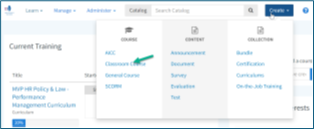
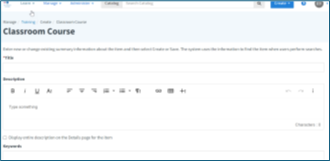
Follow the steps below to create a new classroom course in the system.
Enter the required information to make the course easy to find:
提示
Clear titles, descriptions, and keywords help learners find the course quickly and understand its purpose.
本网站使用 cookie 来提升您的浏览体验。继续使用我们的网站,即表示您同意我们使用 cookie。请查看我们的网站政策,了解有关我们收集的数据以及我们如何确保数据安全的信息。


 查找本地部门